

.png)

.webp)
Key Takeaways
How to Implement SEO Automation?
- Identify Repetitive SEO Tasks: Pinpoint processes like site audits, keyword tracking, or backlink monitoring that consume time.
- Choose the Right Automation Tools: Evaluate and select tools that fit your needs (e.g., SEMrush, SurferSEO, OTTO, Ahrefs, Yoast).
- Integrate with Existing Systems: Connect your automation tools to platforms like Google Analytics, Search Console, and your CMS for seamless data flow.
- Configure and Customize Workflows: Set up automated reports, alerts, and optimization rules based on your SEO goals.
- Monitor and Refine: Regularly review automated outputs, verify accuracy, and adjust settings to align with changing search algorithms and business priorities.
- Balance with Human Oversight: Ensure strategic decisions, content quality, and nuanced optimizations are still guided by expert input.
List of Top SEO Automation Tools and Their Uses:
- OTTO SEO – AI-powered, one-click automation for technical fixes, content optimization, and Google Business management.
- Yoast SEO – Real-time on-page SEO analysis and recommendations for WordPress sites.
- SurferSEO – Content optimization and audit tool offering real-time, data-driven content improvement suggestions.
- SEMrush – Comprehensive suite for keyword research, site audits, competitor analysis, and automated rank tracking.
- Ahrefs – Advanced backlink analysis, keyword research, site audits, and content gap identification.
Each tool addresses specific automation needs, from technical site health to content and link building, enabling scalable and data-driven SEO execution.
SEO Automation in 2026: Tools, Strategies & More
Most SEO teams spend their weeks buried in spreadsheets, manually checking rankings, and running the same audits on repeat. SEO automation changes that equation. It handles the repetitive work so your team can focus on strategy, content quality, and pipeline growth.
But here's the problem: search for "SEO automation tools" and the top results barely scratch the surface. They cover basic rank tracking and keyword monitoring. They miss the deeper needs - understanding user intent at scale, anticipating algorithm updates, building automated content optimization pipelines, and connecting automation outputs to revenue.
This article breaks down what SEO automation is, which tasks you should automate first, the tools worth your budget, and how to implement automation without losing the human judgment that makes SEO work.
Let's get started.
What Is SEO Automation and Why Should You Care?
SEO automation is the practice of using software and AI to handle repetitive search engine optimization tasks - site audits, keyword tracking, rank monitoring, content briefs, reporting - without manual intervention for each step.
SEO covers three core areas: technical SEO (site structure, crawlability, speed), on-page SEO (content optimization, keyword research, metadata), and off-page SEO (link building, external mentions). Each area contains dozens of tasks that follow predictable patterns. That makes them ideal candidates for automation.
Take a simple example. Checking whether Google crawls and indexes your pages is a technical task. You could manually verify every URL. Or you could connect the Google Search Console API and get instant alerts when pages drop out of the index. That single automation saves hours every week.
The global SEO services market is estimated at $83.98 billion in 2026 and projected to reach $148.86 billion by 2030. That growth is driven largely by automation adoption - teams that automate repetitive workflows can scale output without scaling headcount at the same rate.
Why Does SEO Automation Matter for B2B SaaS Teams?
Automation eliminates the bottleneck between identifying SEO problems and fixing them. For B2B SaaS companies managing hundreds (or thousands) of pages, manual processes can't keep pace with how fast search algorithms and competitor landscapes evolve.
How Does Automation Improve Efficiency and Accuracy?
Manual SEO tasks like tracking backlinks, updating meta tags, and checking rankings are time-consuming. They're also prone to human error. Automation tools handle these processes with precision, around the clock.
Weekly keyword research alone shrinks from 12 hours to roughly 30 minutes with the right automation stack. That's a 96% time reduction. The freed-up time goes directly into SEO strategy development, content creation, and competitive analysis.
What Cost Savings Can You Expect?
Hiring a team to handle every aspect of SEO gets expensive fast. Glassdoor reports that the average SEO specialist in the U.S. earns around $66,000 annually. An automated SEO platform can replace many of these functions - generating performance reports, tracking keyword rankings across thousands of pages, monitoring backlinks, alerting on page speed issues - all in real time.
For SaaS companies watching burn rates, automation offers a scalable, cost-effective alternative to building a full in-house team for every SEO function.
How Does Automation Help You Keep Up with AI-Driven Search?
57.6% of SEOs report a notable increase in competition due to AI. GPTBot usage increased \~55% year-over-year, and AI-generated content now accounts for 17.3% of content in Google's top 20 search results.
Staying competitive means monitoring not just traditional SERPs but also AI Overviews and LLM citations. Doing that manually at scale? Nearly impossible.
Which Key SEO Tasks Can You Automate?
Not every SEO task should be automated. The best candidates are high-frequency, pattern-based activities where speed and consistency matter more than creative judgment.
How Do You Automate SEO Auditing?
Your website's technical health directly impacts search rankings. For large enterprise sites with thousands of landing pages, manual auditing is impractical.
One common issue that surfaces in enterprise SEO audits is indexing failures. To address this, you need to generate and submit an XML sitemap that shows crawlers your site hierarchy and which pages to prioritize.
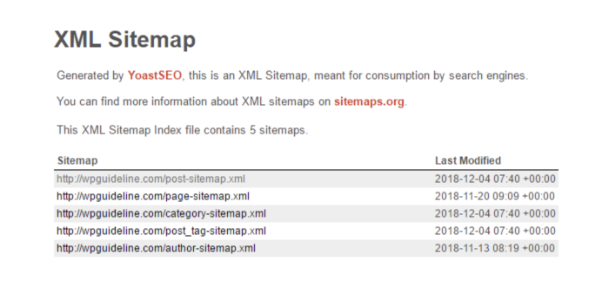
A thorough B2B SEO audit also catches broken links and redirect chains. Links break naturally as content gets updated. Tools like SearchAtlas and ContentKing provide 24/7 monitoring - if anything affects your SEO performance, you get an instant alert before it damages rankings.
SEO automation routinely saves professionals 15 to 25 hours every week. Manual audits that previously took 20 hours now require just 20 minutes.
How Do You Automate Keyword Research and Clustering?
Ask any marketer where they begin with SEO. Most will say keyword research.
Traditionally, keyword clustering required hours of manual work - organizing data in spreadsheets, identifying patterns by hand. You can automate the discovery phase with Google Keyword Planner. For a more sophisticated process, SEMrush's Keyword Magic Tool lets you find competitor top-ranking keywords, monitor position changes across domains, and identify long-tail opportunities. No endless spreadsheets required.
Once you've gathered keywords, the next step is clustering them by semantic relevance and search intent. This is where AI-driven semantic SEO automation delivers. Automated clustering helps you identify related topics and subtopics, giving you an organized content strategy. With the right clusters, you rank for multiple related terms from a single piece of content.
A Reddit thread on r/SEO captures the practitioner perspective well:
"Hot take: most SEO automation is just good orchestration. If you connect solid APIs and build a clean workflow, you can automate a lot." — r/SEO discussion on realistic SEO automation in 2026
How Do You Automate Content Optimization and Brief Generation?
Optimizing content for search engines no longer requires a tedious manual process. SurferSEO automatically scans your content, pinpoints optimization gaps, and provides tailored suggestions. Its "Auto-Optimize" feature applies enhancements immediately.
The tool also generates content briefs that include:
- Target keywords and related topics to cover
- Readability level matched to your audience
- Internal links to strengthen site structure
- Common questions users ask about the topic
- Recommended headings and on-page elements like meta descriptions and alt tags
Building automated SEO content optimization pipelines means your writers start with data-backed direction instead of guessing what Google wants.
How Do You Automate SEO Reporting and Rank Tracking?
Tracking performance across hundreds of keywords and pages demands automation. SEMrush and Ahrefs let you set up automatic rank tracking with scheduled notifications for position changes.
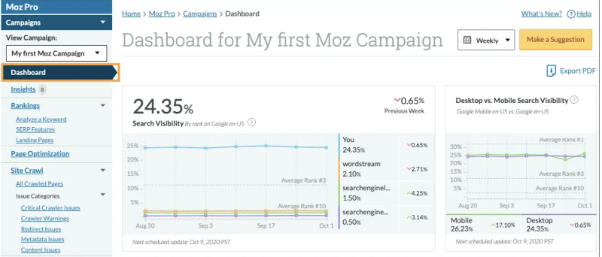
Automated reporting tools like Google Data Studio and Moz Pro generate detailed reports covering:
- Keyword rankings over time
- Organic traffic trends
- Backlink profile updates for link-building progress
- Page performance metrics like load time and Core Web Vitals
How Do You Automate Link Building Outreach?
When running a link-building campaign, you need to identify relevant, high-domain authority sites. Tools like Pitchbox and BuzzStream automate prospect identification, personalized outreach at scale, and communication tracking. Instead of manually sending emails to potential link partners, these tools handle the workflow while maintaining a human touch in messaging.
Another thread from r/SaaS highlights what practitioners look for:
"If you need keyword research plus content generation in one place, Surfer SEO is the most plug-and-play I've seen for SaaS specifically." — r/SaaS discussion on SEO automation tools
What Are the Top SEO Automation Tools and How Do They Work?
Here are five tools we've evaluated across client accounts, each addressing different parts of the automation stack.
1. OTTO SEO
SearchAtlas OTTO SEO homepage highlighting AI-powered SEO automation with a CTA button to start for free
Automate SEO in one click with OTTO SEO
OTTO SEO by SearchAtlas is an AI SEO automation platform that eliminates manual optimization tasks. Once you add the OTTO pixel to your site header, it audits for technical issues and opportunities - underperforming content, missing schema markup, pages with untapped keyword potential.
OTTO automatically fixes title tags, meta descriptions, broken links, and canonical tags. It also optimizes your Google Business Profile and handles review responses. You can create and publish fully optimized articles with Claude or ChatGPT directly within the dashboard. Once you approve changes, OTTO applies them instantly regardless of your CMS.
2. Yoast SEO
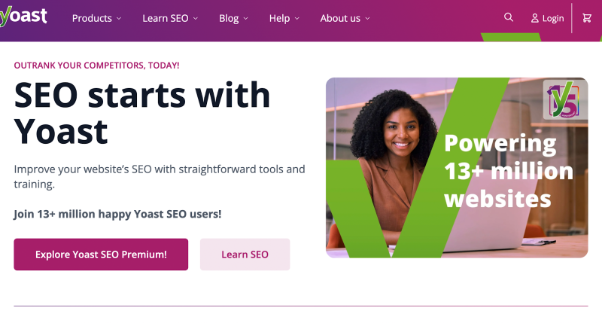
Yoast SEO is the #1 WordPress plugin, providing real-time readability and SEO analysis as you write. It analyzes keyword difficulty, search volume, intent, and density. The tool automatically generates XML sitemaps and manages canonical URLs to prevent duplicate content issues.
3. SurferSEO
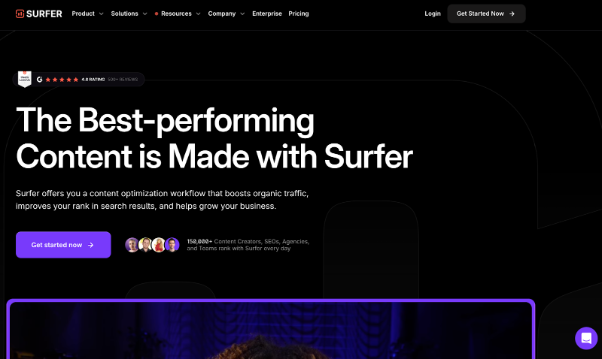
Trusted by over 150,000 content creators and agencies, SurferSEO analyzes your page against 500+ on-page signals - content relevance, topic coverage, keyword density - and provides data-driven recommendations. Its Content Editor lets you write and optimize simultaneously with real-time suggestions. The Content Audit tool evaluates existing pages with metrics like Content Score, search position, and click-through rate.
4. Semrush
Semrush Keyword Magic Tool interface displaying AI-powered keyword suggestions and personalized SEO metrics
Build a powerful keyword list using AI-driven suggestions and personalized insights
Semrush is a comprehensive digital marketing platform covering SEO workflow automation, PPC, and content marketing. Its On-Page SEO Analysis highlights technical issues affecting rankings. Position Tracking monitors keyword rankings across search engines and locations. The Keyword Magic Tool is particularly strong for automating keyword research with AI-powered suggestions.
5. Ahrefs
Ahrefs homepage promoting digital marketing strategies with real data and offering a free Webmaster Tools account
Ahrefs provides robust website analysis, keyword research, and competitor insights. Keyword Explorer identifies high-traffic keywords with low competition. The Site Audit feature detects on-page and off-page issues. Content Explorer finds popular content ideas based on social shares and backlinks, while the Content Gap tool reveals keywords your competitors rank for that you don't.
How Do SEO Automation Tools Compare in Features?
When choosing an enterprise SEO automation platform, consider your team's primary bottleneck. If technical issues dominate, OTTO or Screaming Frog may be your starting point. If content optimization is the gap, SurferSEO delivers the most immediate value. For competitor analysis, Ahrefs and SEMrush remain the standard.
How Should You Build an SEO Automation Workflow Step by Step?
Implementing automation isn't about flipping a switch. It requires a structured approach to avoid creating more problems than you solve.
Step 1: Audit Your Current SEO Processes
Before automating anything, map out every SEO task your team performs weekly and monthly. Identify which tasks are repetitive, pattern-based, and time-consuming. Those are your automation candidates.
Step 2: Choose the Right Tools for Your Stack
Evaluate tools based on your specific needs. A SaaS SEO checklist can help you identify gaps. Connect your automation tools to Google Analytics, Google Search Console, and your CMS for accurate data flow.
Step 3: Start Small and Scale Gradually
Begin with automated keyword tracking and rank monitoring. Then add content optimization and backlink monitoring. Finally, layer in automated reporting and alert systems.
This phased approach lets you validate each automation before adding complexity.
Step 4: Configure Custom Alerts and Workflows
Set up automated reports, alerts, and optimization rules based on your SEO goals. For example: trigger an alert when any page drops more than five positions for a target keyword, or when Core Web Vitals scores fall below threshold.
Step 5: Monitor, Validate, and Refine
Regularly review automated outputs for accuracy. Algorithms change, competitor landscapes evolve, and automation rules need updating. Schedule monthly reviews of your automation workflows to ensure they still align with business priorities.
A practical perspective from the r/seogrowth community reinforces this:
"Small, consistent SEO automations like keyword grouping or draft replies save time and keep engagement steady." — r/seogrowth discussion on testing automation workflows
How Do You Balance Automation with Human Strategy?
Automation handles the "what" and "when" of SEO. Humans handle the "why" and "how."
That distinction matters.
Google has clarified that AI-generated content isn't against their policies. What matters is whether content reflects E-E-A-T principles: experience, expertise, authority, and trust. Publishing entirely auto-generated content without human review won't produce the quality needed to rank well or build trust with B2B buyers.
The impact of marketing automation on SEO performance is strongest when automation handles data collection, pattern detection, and routine fixes - while your team focuses on:
- Strategic decisions: Which keywords to target, how to position against competitors
- Content quality: Adding original research, expert quotes, and first-party data
- Trend analysis: Interpreting algorithm updates and adjusting strategy
- Brand voice: Ensuring content resonates with your specific ICP
Advanced AI SEO automation works best as a force multiplier for skilled practitioners, not a replacement.
What Are Common Mistakes to Avoid with SEO Automation?
Even the best tools create problems when implemented poorly. Here are the pitfalls we see most often:
Over-automating content creation. AI can draft outlines and first passes, but publishing without human editing leads to generic content that doesn't differentiate your brand. Always layer in original insights, data, and expert perspective.
Ignoring automation outputs. Setting up alerts means nothing if nobody reviews them. Assign clear ownership for every automated report and alert.
Automating without a baseline. If you don't know your current performance metrics, you can't measure whether automation is helping. Establish SEO tracking benchmarks before implementing any tool.
Using automation to scale bad practices. Automating keyword stuffing, thin content production, or spammy link building just scales the damage. Automation amplifies whatever strategy you feed it. Make sure the strategy is sound first.
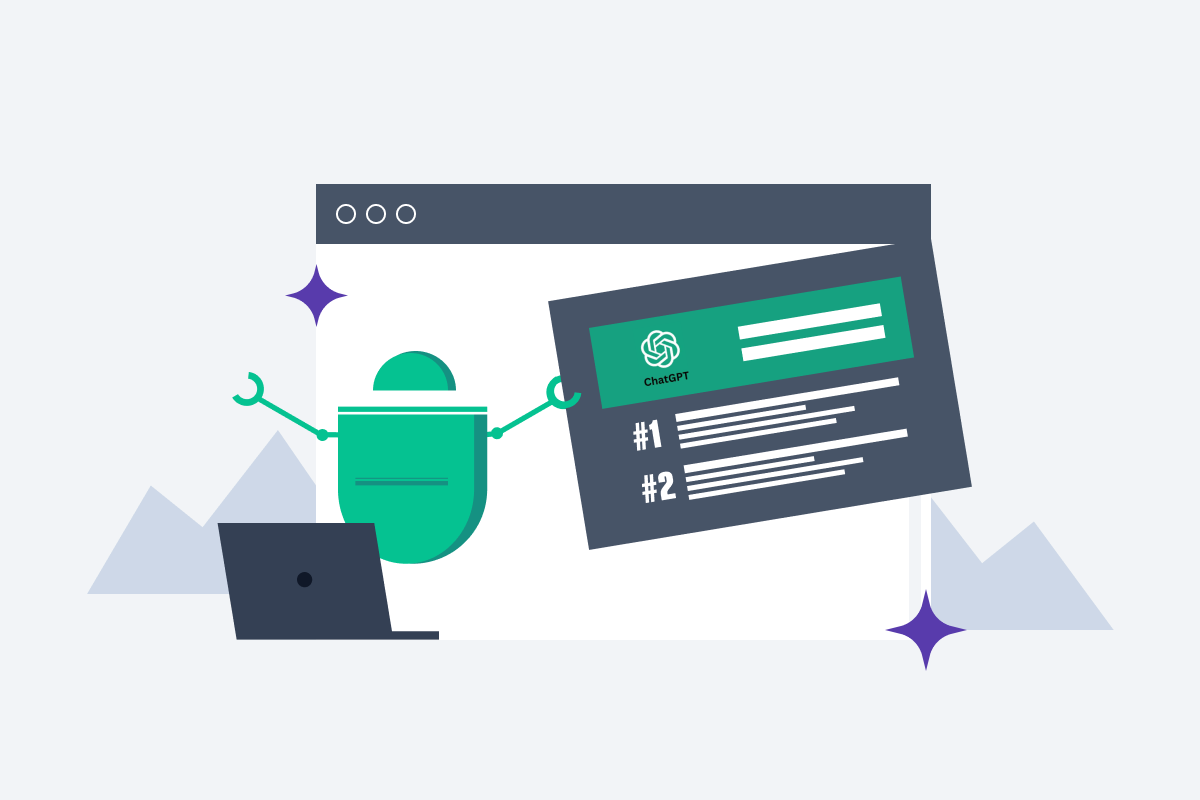
Neglecting AI search visibility. In 2026, automating SEO workflows means monitoring not just Google rankings but also ChatGPT visibility, Perplexity citations, and AI Overview appearances. Tools that only track traditional SERPs leave a growing blind spot.
How Can TripleDart Help You Implement SEO Automation the Right Way?
SEO automation can help you scale content optimization, uncover new opportunities, and eliminate repetitive tasks. But the difference between automation that drives pipeline and automation that generates noise comes down to strategy and execution.
As an AI-native SaaS marketing agency, TripleDart Digital helps B2B SaaS companies build automation workflows grounded in real performance data. We combine technical SEO expertise with AI-powered content briefs, automated weekly and monthly reporting, and human-validated content for quality assurance.
Our approach includes competitor benchmarking, scalable topic clusters for organic growth, and proactive monitoring across both traditional search and AI search surfaces. We tackle your SEO challenges - from targeting high-intent keywords to competing with established players - with automation that compounds over time.
Ready to build an SEO automation stack that drives pipeline? Book a call today.
FAQs
How does SEO automation improve SEO performance?
SEO automation improves performance by handling repetitive tasks at speed and scale, reducing human error in data collection and reporting, and providing real-time alerts when rankings, traffic, or site health change. This lets your team respond faster to issues and spend more time on high-impact strategic work.
Is SEO automation suitable for all types of businesses?
Yes, but the tools and scope differ. Small businesses benefit from basic automation like Yoast for on-page optimization and Google Search Console alerts. Enterprise SaaS companies need more advanced platforms like SEMrush, Ahrefs, or OTTO to handle thousands of pages, complex site architectures, and multi-market keyword tracking.
What are the risks of automating SEO?
The primary risks include over-reliance on automated content without human review, missing nuances in brand voice and audience engagement, and failing to adapt automation rules when algorithms update. Regular monitoring and periodic manual audits are essential to keep automated processes aligned with current search standards.
Can SEO be 100% automated?
No. While many tasks - auditing, rank tracking, reporting, keyword clustering - can be automated, strategic decisions, original content creation, trend interpretation, and adapting to algorithm changes require human judgment. The most effective approach combines automation for execution with human oversight for strategy.
How does TripleDart help with SEO automation?
As an AI-native SaaS marketing agency, TripleDart builds custom SEO automation workflows for B2B SaaS companies, combining AI-powered tools with experienced strategists. We handle automated technical audits, AI-assisted content briefs, marketing automation integration, and intelligent reporting - while ensuring every output is reviewed by our SEO team for quality and strategic alignment. Book a meeting to see how we can help.



.webp)
.png)


.png)




.webp)





.webp)


.webp)







%20(1).png)


.webp)
.webp)
.webp)





%20Ads%20for%20SaaS%202026_%20Types%2C%20Strategies%20%26%20Best%20Practices%20(1).webp)








.png)


.png)





.webp)


![Creating an Enterprise SaaS Marketing Strategy [Based on Industry Insights and Trends in 2026]](https://cdn.prod.website-files.com/632b673b055f4310bdb8637d/6965f37b67d3956f981e65fe_66a22273de11b68303bdd3c7_Creating%2520an%2520Enterprise%2520SaaS%2520Marketing%2520Strategy%2520%255BBased%2520on%2520Industry%2520Insights%2520and%2520Trends%2520in%25202023%255D.png)




.png)















.webp)









%20Agencies%20for%20B2B%20SaaS%20Compared%20(2026).webp)

.webp)
%20with%20Hubspot.webp)







.png)


.png)

.png)
.png)
.png)
.png)

















.webp)

.webp)
.png)
.png)



.webp)


.png)




















.webp)


![How to Measure AEO Success: 12 Metrics Beyond Clicks [2026 Framework]](https://cdn.prod.website-files.com/632b673b055f4310bdb8637d/6a0d664b326187e99b3d5960_6%20-%20The%20Ultimate%20Guide%20to%20Measuring%20AEO%20Success%20in%202026.png)
![7-Step Workflow for AEO-Ready Content [2026 Framework]](https://cdn.prod.website-files.com/632b673b055f4310bdb8637d/6a0d55ea88913ede1d3a7123_5%20-%20Workflows%20for%20Optimized%20AEO-Ready%20Content%20Creation.png)
.png)

![How to Structure Content for AEO and GEO [With Templates]](https://cdn.prod.website-files.com/632b673b055f4310bdb8637d/6a0c6a56eb700472e635ff33_1%20-%20How%20to%20Structure%20%20Content%20for%20AEO%20and%20GEO%20%20Summaries%20(2026).png)


.png)
.png)








.png)

.png)





%2520Agencies%2520(2025).png)

![Top 9 AI SEO Content Generators for 2026 [Ranked & Reviewed]](https://cdn.prod.website-files.com/632b673b055f4310bdb8637d/6858e2c2d1f91a0c0a48811a_ai%20seo%20content%20generator.webp)


.webp)
.webp)











.webp)














.avif)